


24 Apr How to Use Epicor Kinetic for Accurate Job Costing and Margin Analysis
How to Use Epicor Kinetic for Acurate Job Costing and Margin Analysis
Introduction
Manufacturers often discover too late that a “profitable” job actually lost money due to hidden labor, material waste, or inaccurate overhead allocation inside their ERP system.
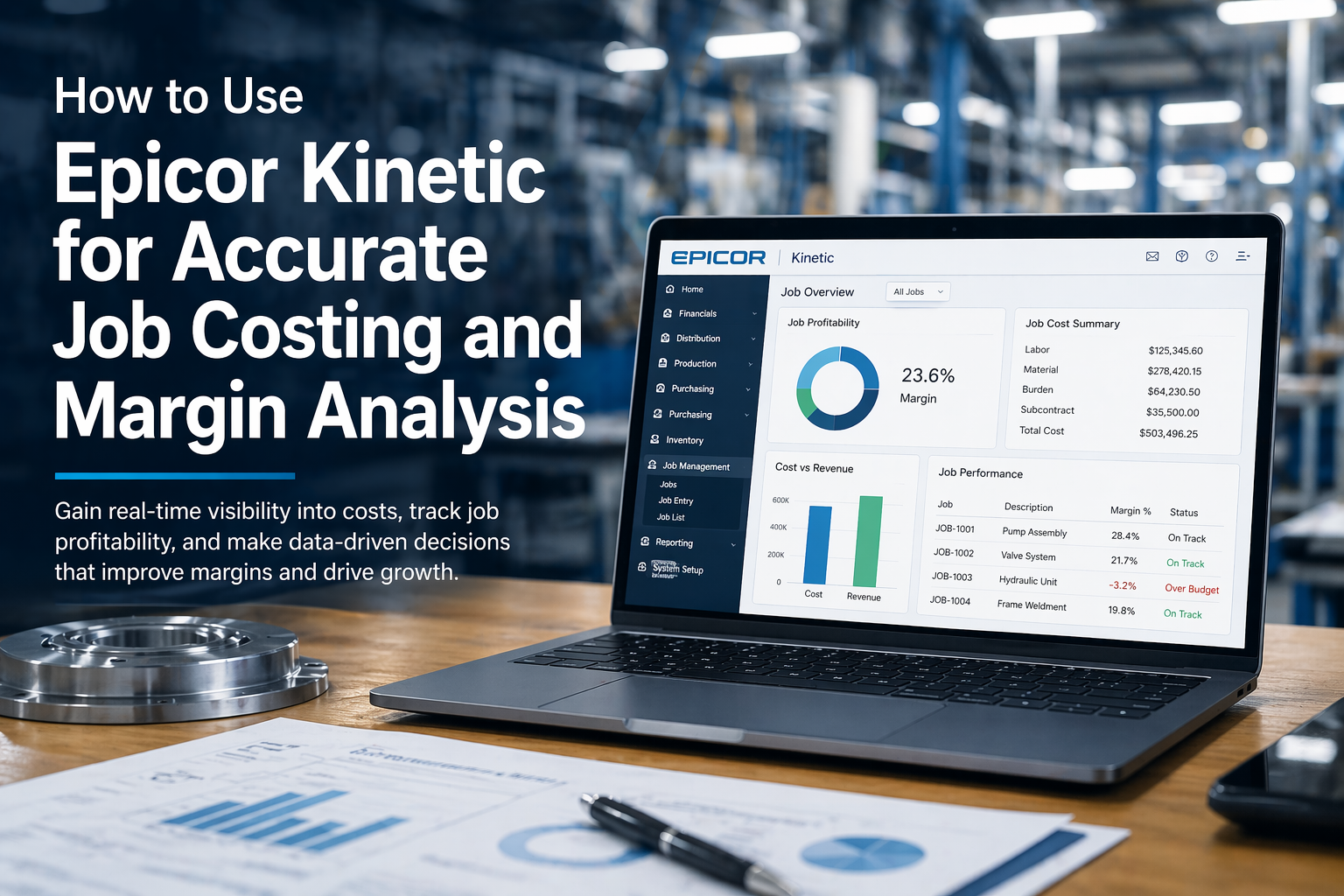
This article explains how to use Epicor Kinetic for accurate job costing and margin analysis. It shows how manufacturers can capture real costs, compare estimates versus actuals, and improve profitability visibility across production operations.
- Identify true job profitability before financial reporting delays
- Improve quoting accuracy using real production cost data
- Reduce cost overruns with real-time job tracking in Epicor Kinetic
- Gain visibility into labor, material, and overhead costs
- Make faster, data-driven pricing and production decisions
Epicor Kinetic for Job Costing: What It Is and Why It Matters
Epicor Kinetic for job costing helps manufacturers gain accurate visibility into production costs so they can protect margins and make better decisions. When you use Epicor Kinetic correctly, you stop guessing job profitability and start measuring it with real data.
What job costing means in manufacturing ERP
Job costing in Epicor Kinetic tracks every cost tied to a specific job so you can understand true production expenses. This includes labor, materials, subcontracting, and overhead.
Manufacturers rely on job costing to answer key questions:
– How much did this job actually cost?
– Did we make a profit?
– Where did we lose money?
Inside Epicor Kinetic, job costing works by linking:
– Job orders
– Bill of materials (BOM)
– Labor transactions
– Inventory usage
Why inaccurate costing hurts profitability
Epicor Kinetic job costing accuracy directly impacts profitability because small errors compound across jobs. If your costing is wrong, every business decision that follows is also wrong.
Common issues include:
– Underreported labor hours
– Incorrect material usage
– Missing overhead allocation
– Delayed data entry
How Epicor Kinetic structures job costing data
Epicor Kinetic job costing structure organizes cost data so you can track and analyze it at every level. This structure ensures accuracy and traceability.
The system breaks costs into key categories:
– Material costs
– Labor costs
– Burden/overhead
– Subcontract costs
Epicor Kinetic Job Costing Setup: How to Configure for Accuracy
Epicor Kinetic job costing setup ensures you capture precise cost data from the start so every job reflects true profitability. When you configure Epicor Kinetic correctly, you eliminate guesswork and create a reliable foundation for margin analysis.
Who should configure job costing parameters
Epicor Kinetic job costing setup requires cross-functional ownership to ensure accuracy across all cost inputs. Your finance, operations, and production teams must align during configuration.
Setting up labor, material, and overhead costs
Epicor Kinetic job costing configuration starts with defining accurate cost drivers so the system can calculate real job costs automatically.
Key setups include:
– Labor rates and burden rates
– Material costing methods
– Overhead allocation rules
Where cost data originates inside Epicor Kinetic
Epicor Kinetic job costing data sources determine how accurate your final cost calculations will be. Every cost must originate from a controlled transaction.
Key sources include:
– Job Entry
– BOM and Routing
– Labor Entry / MES
– Inventory Transactions
– Purchase Orders
Epicor Kinetic Labor and Material Tracking: How to Capture Real Costs
Epicor Kinetic labor and material tracking enables manufacturers to capture real-time production data so job costs reflect actual shop floor activity. When you use Epicor Kinetic to track labor and materials accurately, you eliminate hidden costs and protect your margins.
How shop floor data collection impacts costing accuracy
Epicor Kinetic shop floor data collection improves costing accuracy by ensuring every transaction is recorded at the source.
Tracking labor hours in real time
Epicor Kinetic labor tracking helps you control production costs by capturing actual hours worked against each job operation.
Capturing material usage and scrap accurately
Epicor Kinetic material tracking ensures that all consumed materials are recorded so your job cost reflects true usage.
Epicor Kinetic for Margin Analysis: How to Measure Profitability
Epicor Kinetic for margin analysis gives manufacturers clear visibility into job profitability so they can make faster, data-driven decisions.
What margin analysis looks like inside Epicor Kinetic
Epicor Kinetic margin analysis provides real-time insight into how each job performs financially.
Comparing estimated vs actual job costs
Epicor Kinetic cost comparison helps you identify gaps between planned and actual performance so you can take corrective action quickly.
Identifying profit leaks and cost overruns
Epicor Kinetic profit analysis helps you detect hidden cost drivers so you can protect margins before they erode profitability.
Epicor Kinetic Cost Reports: Where to Find Actionable Insights
Epicor Kinetic cost reporting gives manufacturers structured visibility into job performance so they can make informed operational and financial decisions. Reports transform raw job data into actionable insights for improving margins.
Key reports for job costing and margins
Within Epicor Kinetic, key reports include:
– Job Cost Detail Reports
– Variance Analysis Reports
– WIP (Work in Progress) Reports
– Profitability Summary Reports
When to review reports for maximum impact
Reviewing Epicor Kinetic reports at the right time improves decision-making and prevents cost overruns from escalating.
Turning reports into business decisions
Epicor Kinetic reporting insights should directly influence pricing, scheduling, and production planning decisions.
Epicor Kinetic Best Practices for Accurate Job Costing and Margin Analysis
Epicor Kinetic best practices ensure long-term accuracy in job costing and margin analysis by standardizing processes and improving data integrity.
Standardizing data entry across teams
Consistent data entry in Epicor Kinetic ensures every job reflects accurate cost behavior across departments.
Automating cost updates and validations
Automation in Epicor Kinetic reduces manual errors and ensures cost data stays current.
Continuous improvement using historical data
Historical analysis in Epicor Kinetic helps manufacturers refine estimates and improve future job profitability.
Conclusion
Using Epicor Kinetic for job costing and margin analysis gives manufacturers the ability to track real costs, identify inefficiencies, and improve profitability with confidence. When properly configured and used, it transforms financial visibility across production operations.
This leads to stronger pricing decisions, reduced cost leakage, and improved operational control across all jobs.
Take the next step in improving your ERP-driven profitability today.
Scaled Solutions Group is here to guide you every step of the way.
Call (866) 957-8419
Email info@scaledsolutionsgroup.com
Visit www.Get-Scaled.com